The Muckin portal
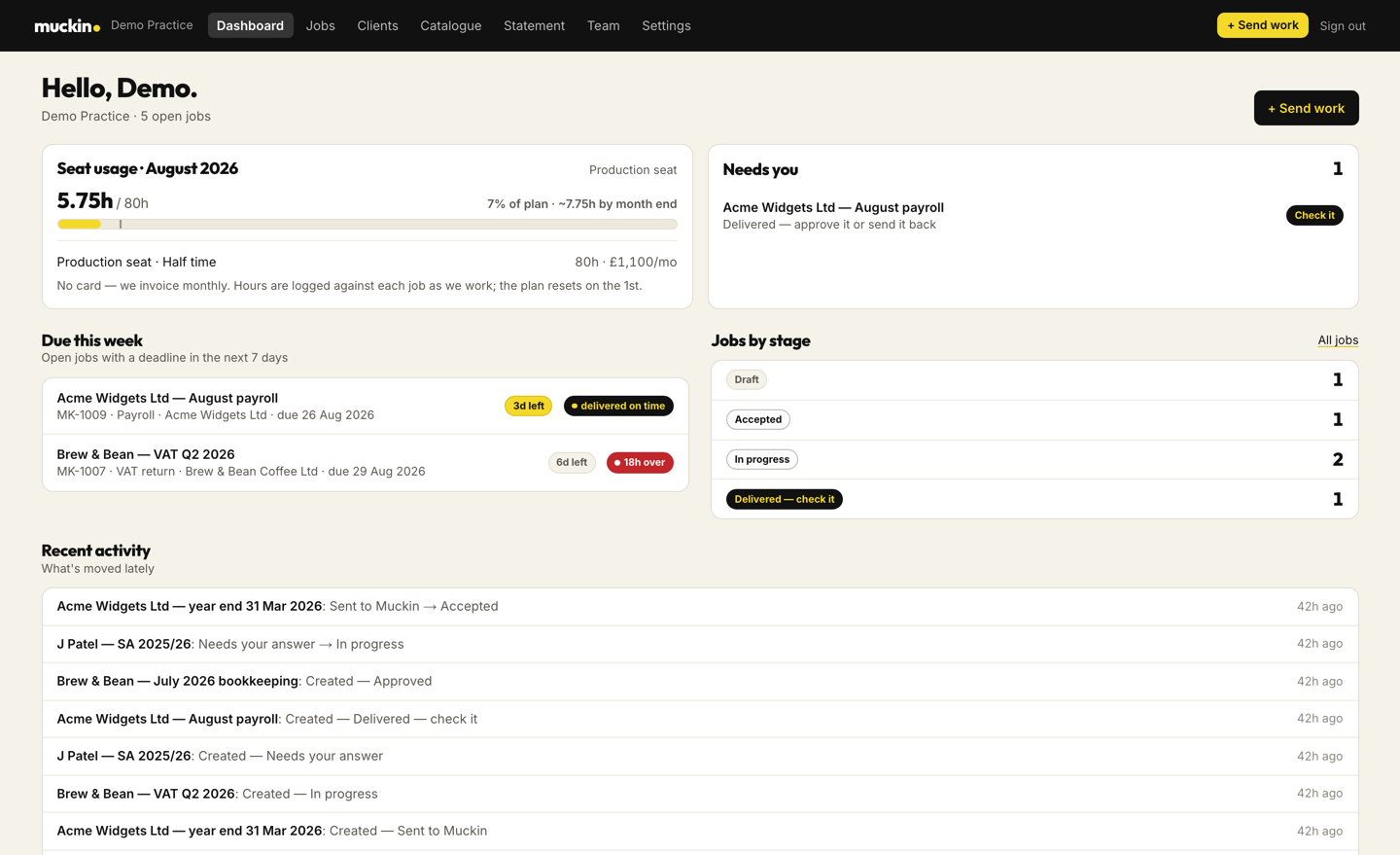
Every practice gets a login at app.muckin.co.uk. You send a job with its papers and a deadline, follow it through six stages, answer queries in one list and see how many of your seat's hours have been used. It comes with every seat.
Sending a job
Pick the client and the type of job. Year-end, CT600, self assessment, VAT, bookkeeping, payroll, management accounts, new-client checks and AML, admin and marketing each have their own checklist of the papers we need, with an upload slot for each one.
Pick the client and the job
Clients are added by Companies House number, so year ends and filing dates arrive with them. Recurring work such as bookkeeping, VAT and payroll creates itself each period.
Fill the checklist
Drag the files into the slots. The job and your dashboard both show what is still missing until the pack is complete.
We accept it in writing
We confirm the scope, the estimated hours and the due date. If something falls outside your seat, you get a price to accept or decline before any work starts.
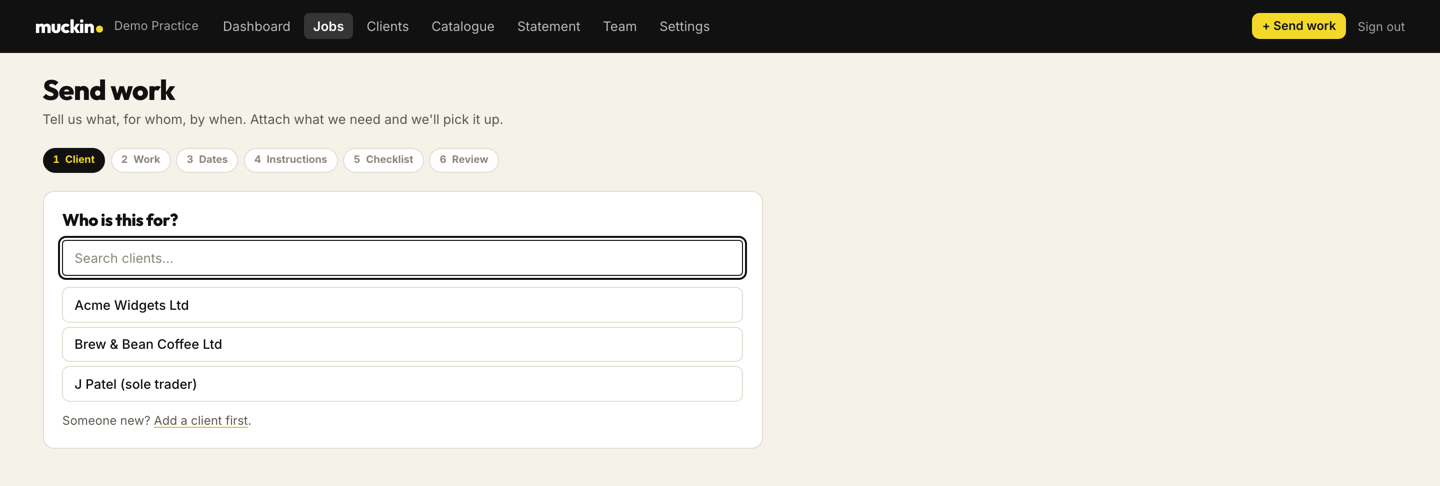
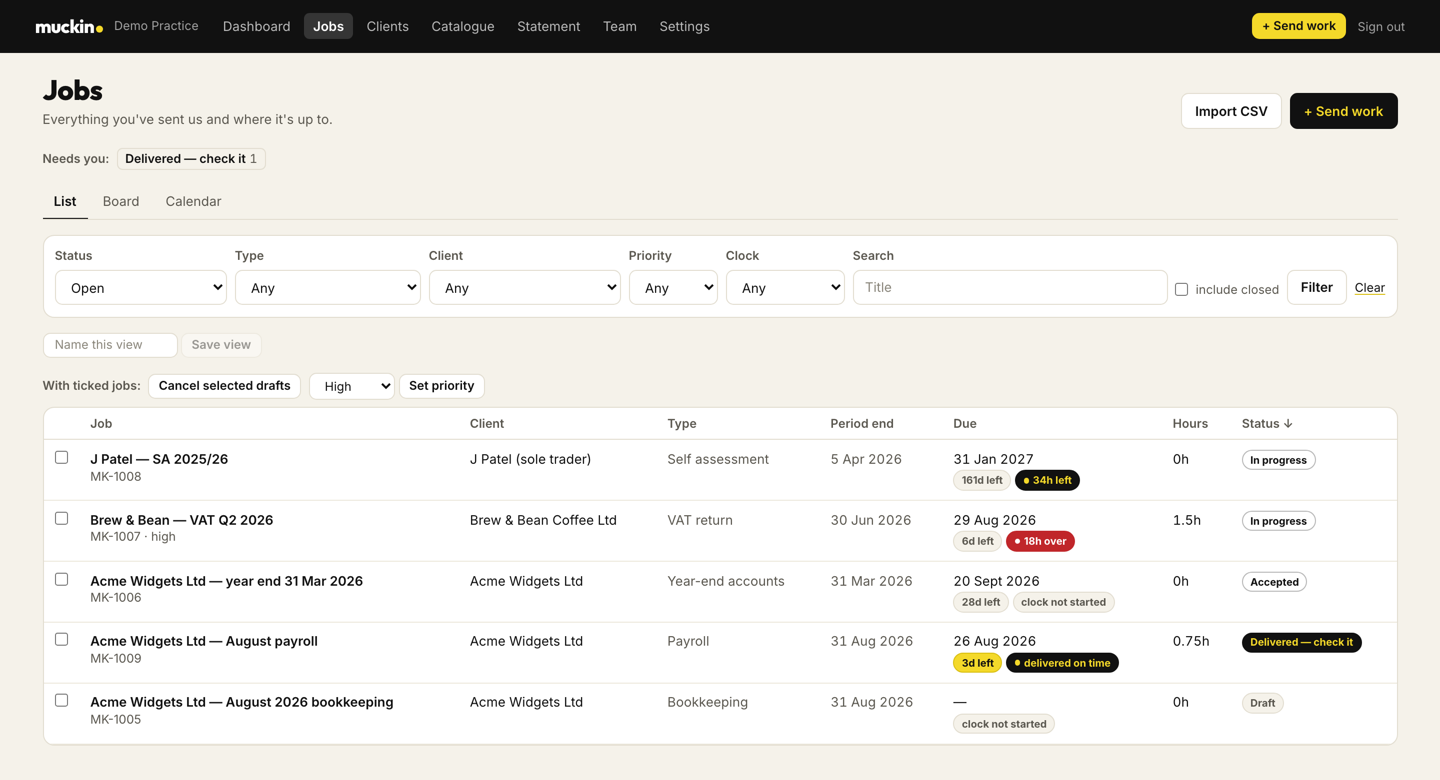
Screens are from the live portal with a demo practice, so the client names are made up.
Six stages
When the clock starts
The turnaround clock starts when the document pack is complete, and it pauses while we are waiting for something from you. The job shows how many items are needed while it is paused.
UK review before delivery
Accounts work cannot move to delivered until it has passed UK review and the reviewer has completed the checklist. The preparer and the reviewer are always different people.
Sending work back
Approve a job with a rating, or send it back with your reasons. Rework is versioned and counted, and your rework rate is on your dashboard.
Queries and messages
- One query list per job, with the date each answer is needed by
- A message thread on every job with the person doing the work
- A link in the email lets anyone in your firm upload a file or answer a query
- A daily or weekly digest, if you want one
- A timeline of everything that happened to a job, with who did it and when
Your seat in numbers
- Hours used against your seat this month, and where the month is heading
- Jobs by stage, and what is due this week
- Average turnaround against the promised turnaround
- How much work came back for rework
- A monthly statement you can download as a spreadsheet
Connecting your software
Xero and FreeAgent connect from the portal. You approve the connection on their own sign-in screen and choose which clients to share, and your client list arrives in the portal. You can disconnect it from the portal or from your Xero or FreeAgent account. For other software, you add a named login for the person on your seat.
Sign in with an emailed code
A six-digit code is emailed to you each time you sign in.
Three levels of access
Admins manage the firm and its seats, members raise and approve work, and a partner can have a read-only view.
Private file storage
Documents are held in private storage and opened through short-lived links. Each firm sees only its own clients, jobs and files.
Questions
Does the portal cost extra?
It comes with every seat, whatever the hours, and you can invite as many of your team as you like.
Do we have to use it?
For sending work, yes. It is what makes the turnaround clock and the query list possible, and it is the audit trail if anyone asks how a job was handled. Answering a query or sending a file can be done from the link in the email, without signing in.
Can our clients see it?
No. It is between your practice and us. Your clients deal with your firm, as they do now.
What if we already use Karbon or Senta?
Keep it. That is your practice's workflow for your clients, and the portal is the channel between your firm and ours. We work inside your accounting software, and the portal tracks what you have handed to us.
See the portal with your own kind of work in it
Tell us what you would send and we will walk you through it on a call.